
Article
Invoicing Basis – From Excel Chaos to Control Over Hours and Billing
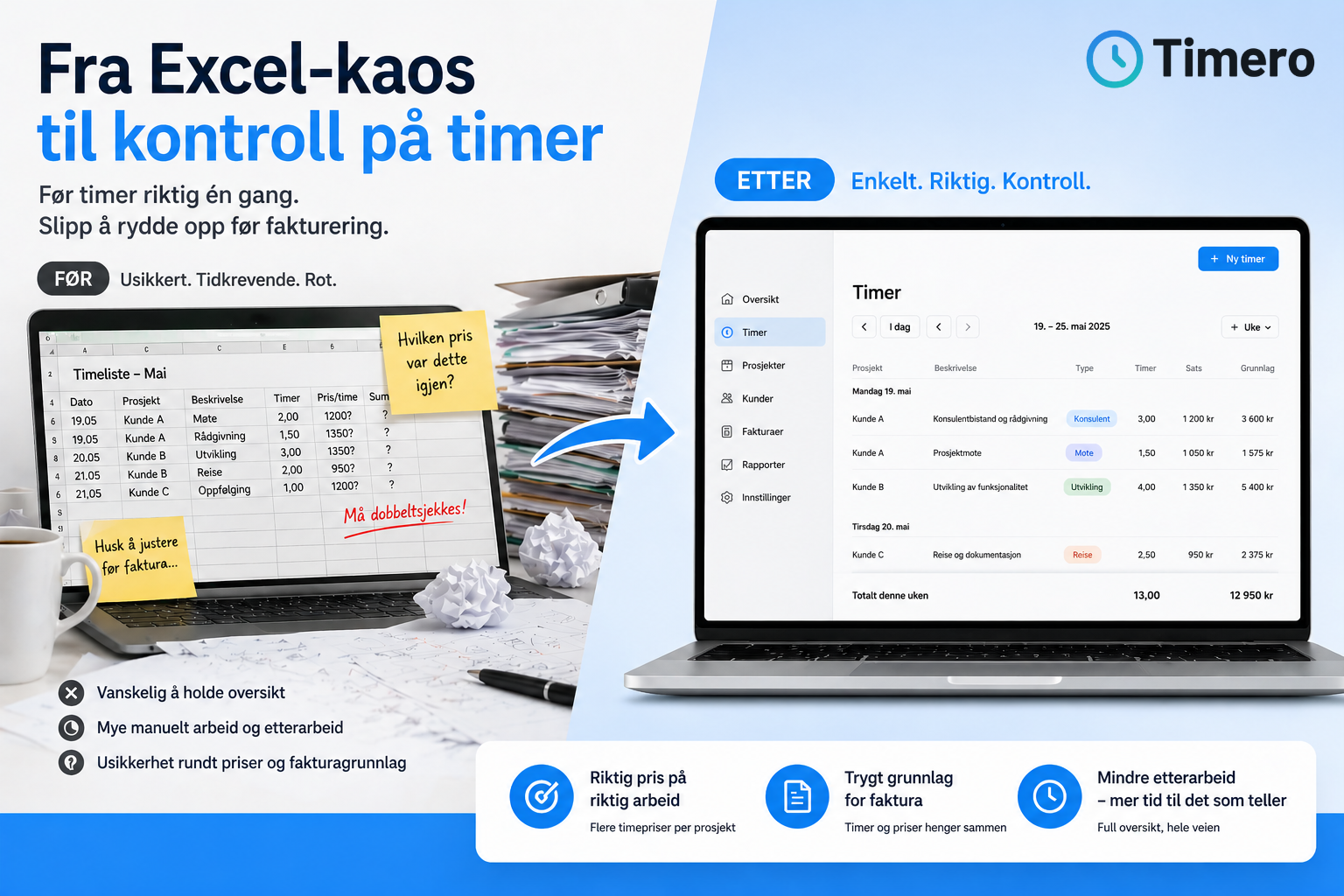
From Excel Chaos to Control Over Hours
If you work with time tracking, you’ve probably been there: One project, one client, but multiple types of work. Yet everything ends up with one standard hourly rate.
Meetings, development, travel, and follow-ups all get lumped together, and that’s where things start to slip. To make it work, you have to compensate along the way – a few notes here, some adjustments there, and maybe an Excel sheet alongside the system just to keep track.
Suddenly, you’ve created a system next to the system. And then the point is lost.
The Problem with Classic Time Tracking
Many time tracking systems are designed for a simpler reality than the one you actually work in. They assume that one project has one hourly rate and that hours can be summed up directly into an invoicing basis.
In practice, this is rarely the case. The same client can have multiple types of work, different tasks can have different rates, and you need to document what has actually been done. When this doesn’t align, you quickly end up with uncertainty around invoices, poorer control over profitability, and more follow-up work than necessary.
That’s Why We’ve Built Multiple Hourly Rates per Project
What we’ve worked on at Timero is making time tracking resemble how you actually work – not how a system assumes you work.
You can now set up multiple hourly rates for the same project, whether it’s consulting work, development, project management, meetings, or travel. When you log hours, you select the right type of work at that moment, and you don’t have to think about it afterward.
The result is quite simple: the right rate for the right hour, without needing to clean up later.
An Invoicing Basis You Can Actually Trust
When hours are logged with the correct price from the start, the numbers begin to add up. You won’t have to sit afterward wondering if something needs to be adjusted before invoicing, or if an hour should have had a different rate.
Instead, you get an overview that makes sense – both of what has been done, which price has been used, and what actually forms the basis for the invoice. This not only makes everyday life easier but also safer.
Once an Hour is Invoiced, It Should Be Final
A classic issue in many systems is that hours can still be changed after they have been used on an invoice. This provides flexibility but also opens the door to errors.
That’s why we’ve chosen a clearer line: Once an hour is invoiced, it is locked. You still have full insight into what has been done, but you avoid the risk of the numbers changing afterward.
Less Friction in Everyday Life
One of the most important aspects is still what happens in the small details. When you open the Timer tab, you go straight back to the current week and today’s date, without having to search for it again.
This isn’t a big feature in itself, but it’s exactly these kinds of things that make the flow actually work over time.
In Short
Time tracking doesn’t have to be complicated. It just needs to be precise enough for you to trust it.
This is what we build Timero around – that you should be able to log hours correctly once and avoid cleaning up afterward.
Want to See if It Fits Your Way of Working?
If this resonates with you, there’s really only one way to find out.
Test Timero yourself and see if it matches the way you actually work – without Excel alongside.