
Article
New Modules
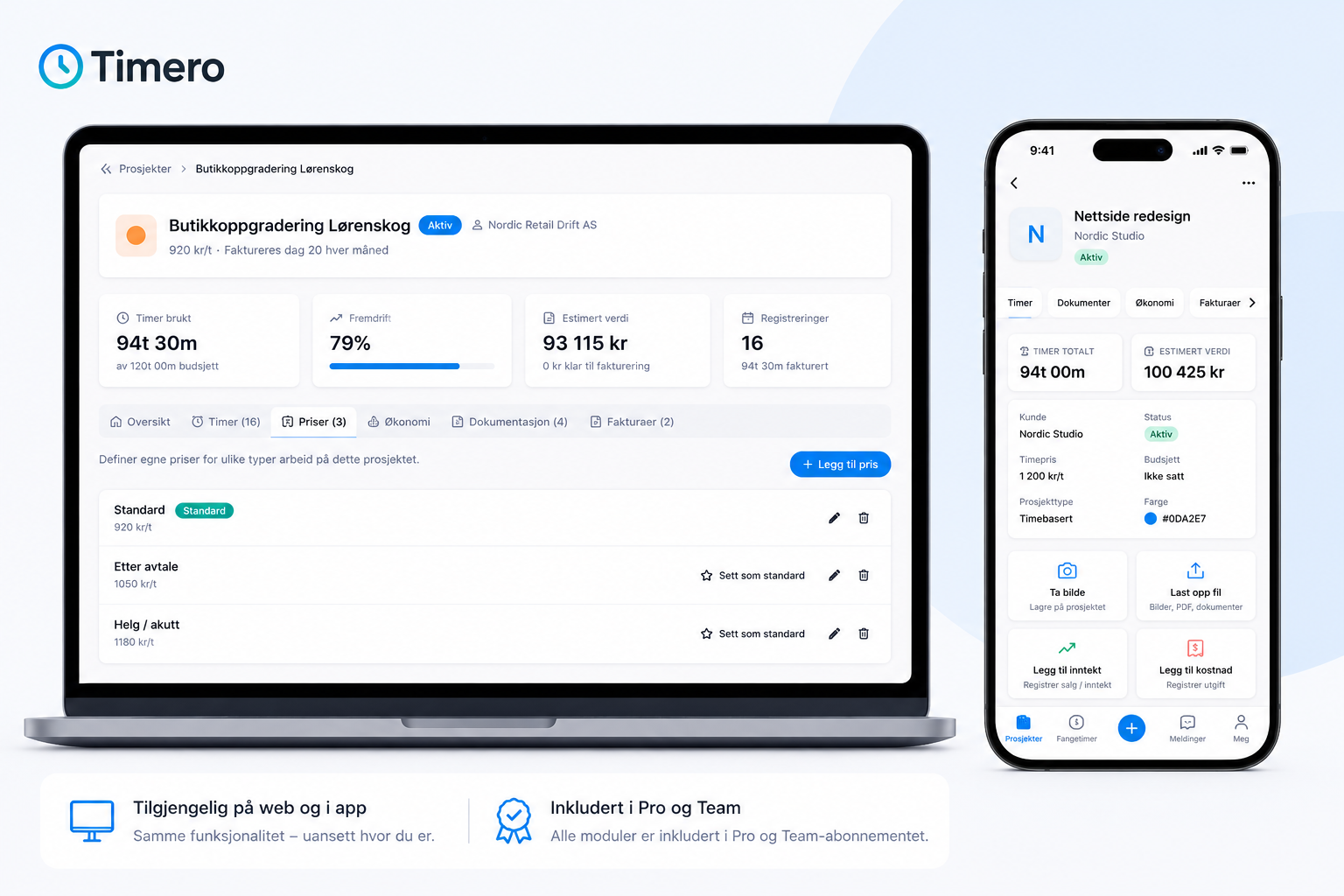
When we started Timero, we had one goal:
To create a simple system for time tracking.
Through conversations with customers, we identified a need for better oversight of projects, finances, and documentation. At the same time, we did not want to build a system filled with features that most people never use.
The solution became modules.
Now you can activate the functions you need – and turn off the rest.
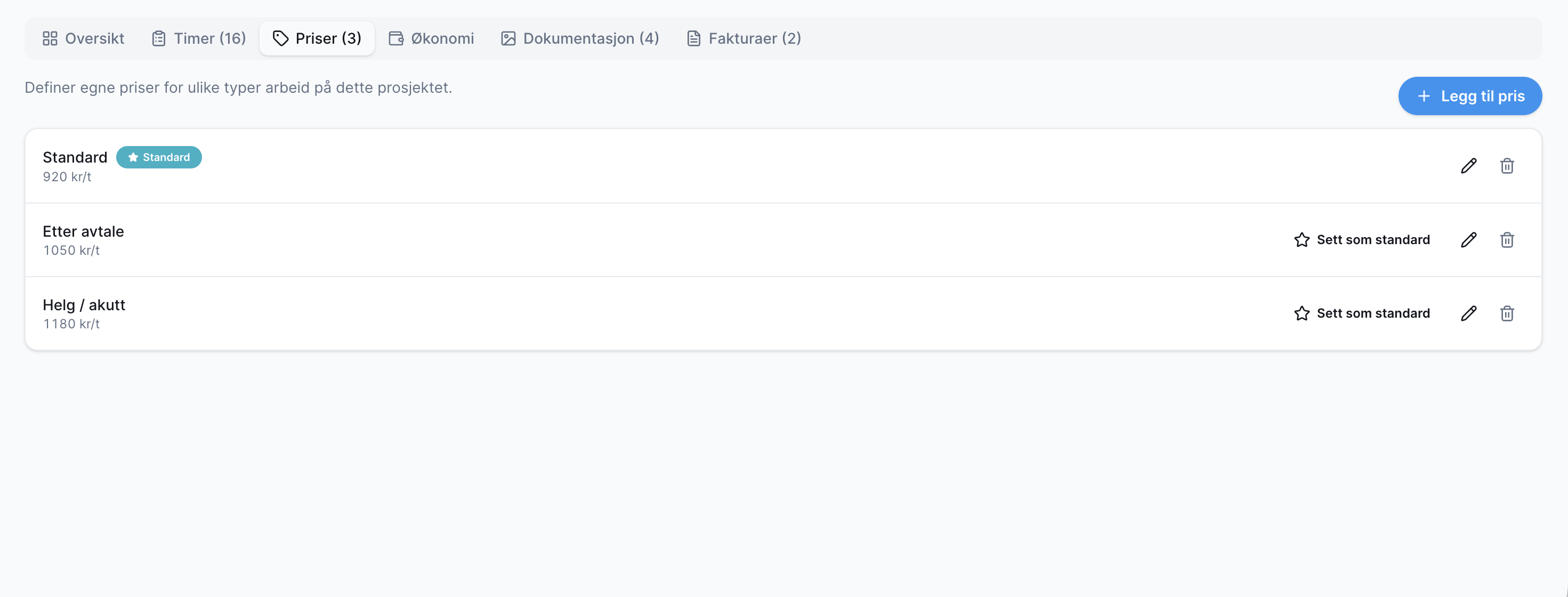
Project Pricing
Many do not work with a fixed hourly rate.
Therefore, you can now create multiple prices for the same project.
For example:
- Standard price
- Agreed price
- Weekend and urgent work
When hours are logged, the correct price can be selected, and the project value is calculated automatically.
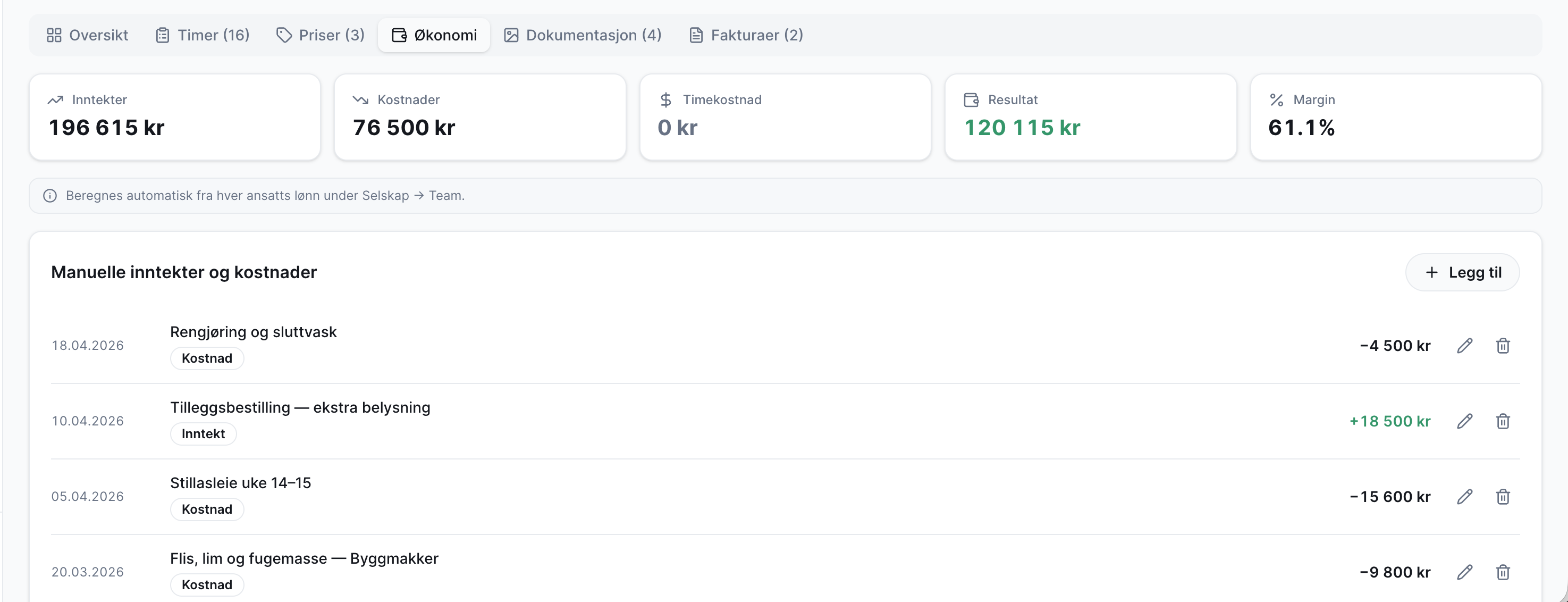
Project Finances
Get a complete overview of the project's finances.
You can log:
- Additional income
- Material costs
- Rental expenses
- Other project costs
Timero automatically calculates profit and margin so that you always know how the project is performing.
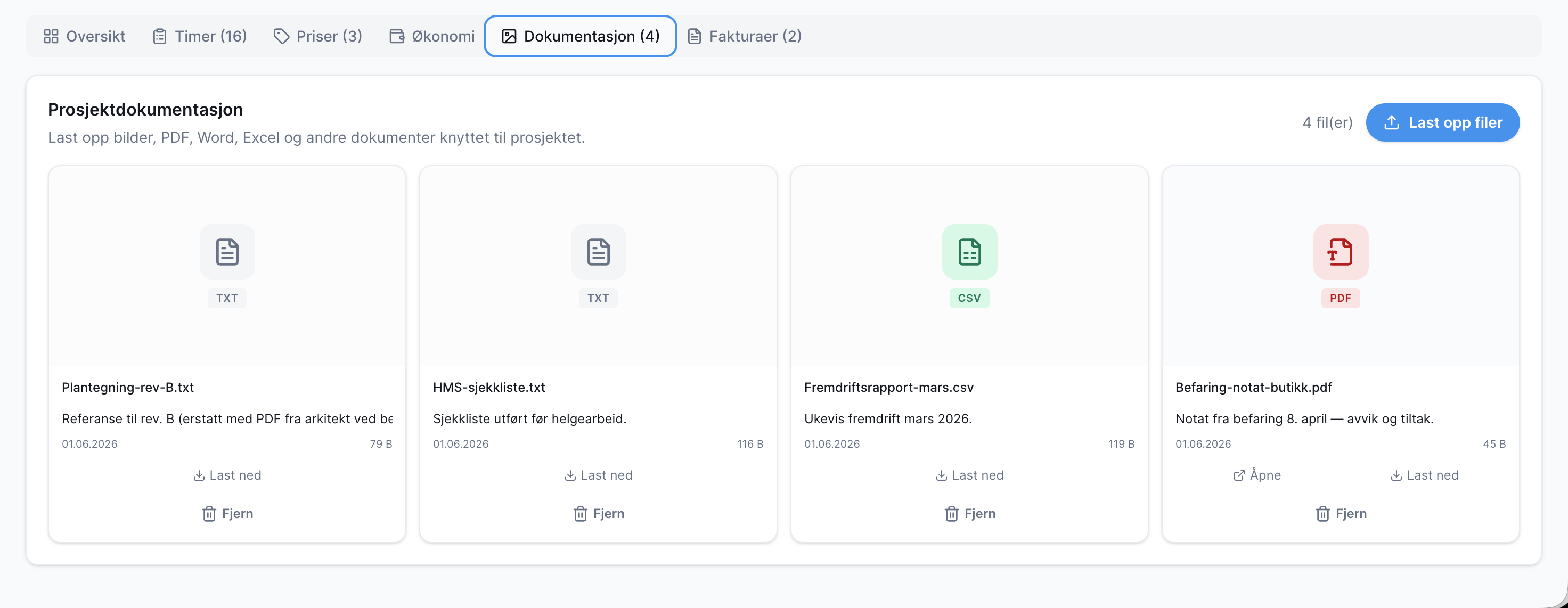
Project Documentation
Gather all documentation in one place.
Upload:
- Images
- PDF files
- Excel files
- Word documents
- Other project files
Everything is linked directly to the project, so you don’t have to search through emails, folders, and cloud storage.
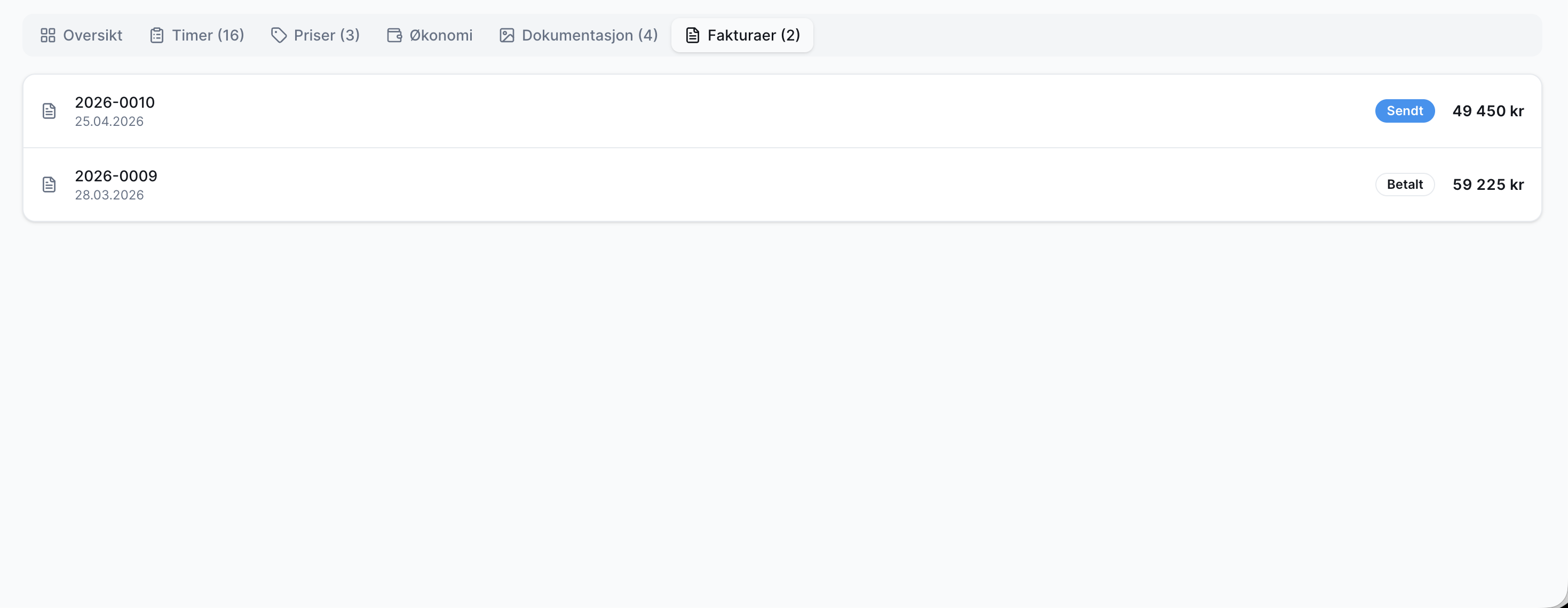
Invoice Overview
See all invoices that have been sent for the project.
You get a quick overview of:
- Invoice number
- Amount
- Status
- History
Perfect when you need an overview of what has been invoiced and what remains.
Build the System the Way You Want
The most important thing for us is that Timero remains simple.
That’s why all these functions are available as modules.
Do you only use time tracking? Then keep the system simple.
Need more control over projects, finances, and documentation? Then you can activate the modules you need.
No unnecessary complexity. Just the tools that make your workday easier.
All modules are available both on the web and in the app, and are included in Timero Pro and Timero Team.