
Article
Which Time Tracking System is Suitable for Transport Companies?
Summary
- Transport companies need time tracking that manages both driving time, waiting time, loading and unloading time, and distinguishes between different assignments and clients.
Transport companies have needs that differ from other industries. Drivers often work alone, log hours on various assignments, and their working time consists of more than just driving. Waiting time, loading, unloading, and administrative tasks must be recorded separately to provide an accurate picture of time spent per assignment. A good time tracking system must therefore handle multiple types of work simultaneously and provide a clear overview of what can be invoiced to which client.
For transport companies that invoice clients based on time spent, oversight of hours per assignment is crucial. The system must make it easy to distinguish between different driving assignments, link hours to the correct client, and ensure that all work is documented. When hours are stored digitally, it also becomes easier to follow up on payroll, see what has been invoiced, and keep track of project finances.
What Transport Companies Need to Log Beyond Driving Time
A driver's working time rarely consists solely of driving. Many assignments include time spent on loading and unloading, waiting time at the client, paperwork, load checks, and vehicle cleaning. For time tracking to provide an accurate picture of time spent, the system must allow the driver to log these various activities separately.
When a transport company invoices based on time, it must be clear what the client is paying for. If an assignment takes eight hours, but only four of them are driving, the invoicing basis should show what the rest of the time was spent on. This provides both the company and the client with better documentation and reduces the risk of disputes over what was actually performed.
A good system allows the driver to choose the type of activity when logging hours. It can be as simple as a dropdown menu where one selects between driving, waiting, unloading, or other work. When all hours are collected digitally, the company gains an overview of time usage per assignment and can adjust prices or resource usage based on actual figures.
Mobile App is Necessary for Logging on the Go
Drivers rarely work in front of a computer. Therefore, hours must be logged from mobile devices, preferably while the work is ongoing or immediately afterward. A solution that only works via a PC browser becomes too cumbersome in practice, and the risk of forgetting to log hours or logging them inaccurately afterward increases. A good time tracking app allows for starting and stopping hours directly from the phone, linking them to the correct client, and adding notes about what was performed.
Network stability is a challenge for many drivers. Therefore, the system should be able to function offline and synchronize hours when internet access is available again. This ensures that logging does not stop even if the driver is traveling through areas with poor coverage.
When the driver can log hours on the go, the company avoids having to input everything afterward. This results in more accurate time measurement, better oversight for administrators, and less risk of hours being forgotten or incorrectly logged. For companies with many drivers out simultaneously, real-time oversight of active working hours is valuable for both payroll and resource planning.
Linking Client, Assignment, and Invoice
Transport companies often work with many clients simultaneously. A driver may have several assignments in one day, and each assignment must be linked to the correct client for the invoicing basis to be accurate. A system that does not handle this linking well creates duplicate work and increases the risk of errors.
When hours are logged directly to the client and project, the company automatically gains an overview of what has been delivered to each individual client. This makes it easier to create invoices based on hours and provides clear documentation if the client requests insight into time usage. For companies engaged in distribution, this overview can also be used to assess profitability per client or route.
Good project linking also makes follow-up easier. Administrators can see how much time has been spent on each assignment, compare it with estimated time, and adjust resource usage as needed. For companies that charge by the hour, this is the invoicing basis. For companies with fixed-price agreements, it provides insight into whether prices match the actual time spent.
What Differentiates the Various Time Tracking Solutions
The market for time tracking consists of all-in-one systems that combine accounting, payroll, and time logging, as well as specialized time tracking systems that focus on simple logging and project follow-up. Transport companies must choose based on whether they primarily need time tracking for payroll or if they invoice clients based on time spent.
All-in-one systems like Tripletex and PowerOffice Go are popular among companies that already use them for accounting. They handle payroll, invoicing, and time logging on the same platform but often require more training and are better suited for companies that need close integration between finance and time tracking. For transport companies that do not invoice hours directly to clients, these systems can be a good choice.
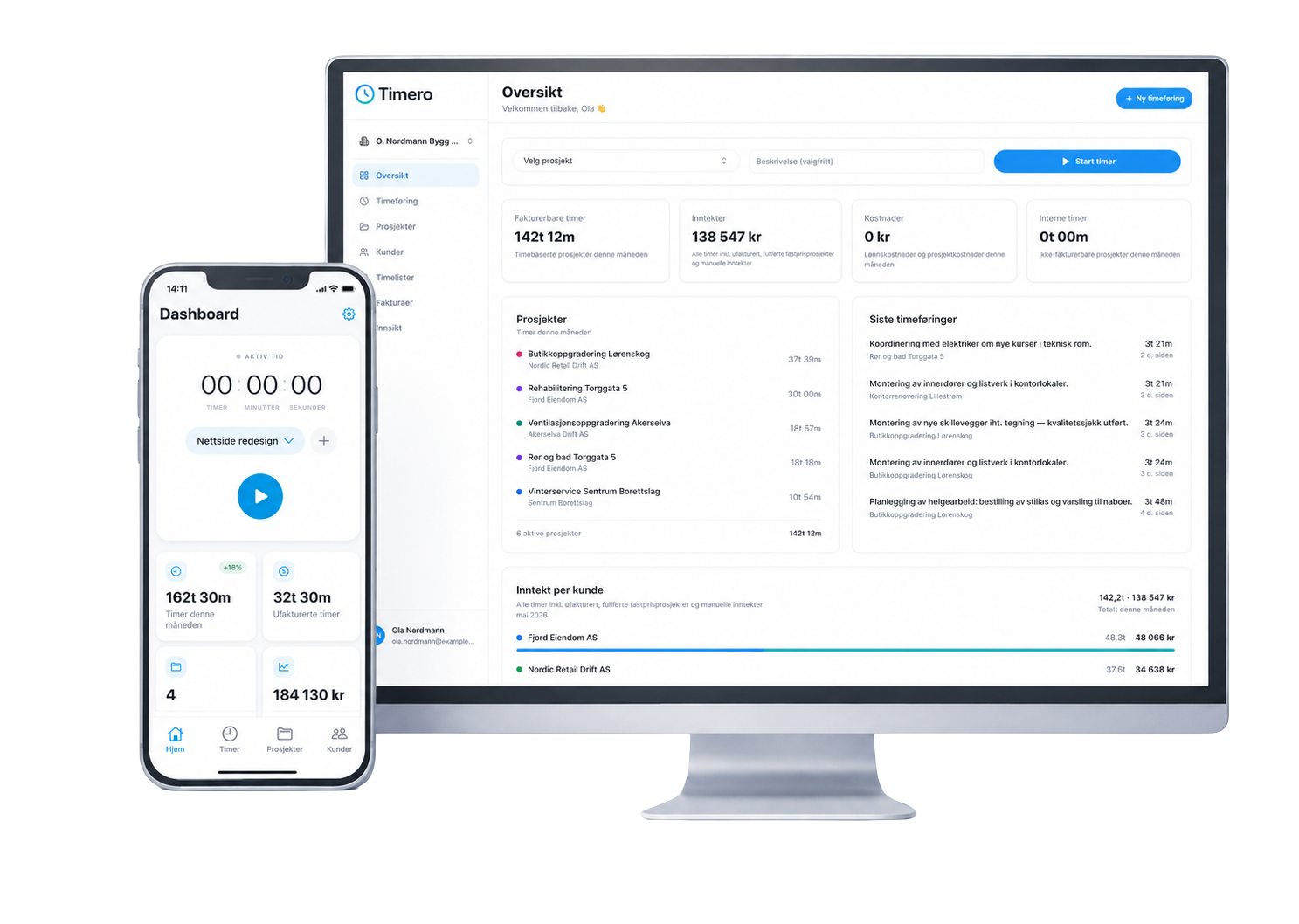
Timero is a specialized system for companies that invoice based on time spent. It combines time tracking, project follow-up, and invoicing in one solution, focusing on simplicity and mobile support. For transport companies that deliver assignments to regular clients and need clear oversight per client and project, this provides a more streamlined workflow than using several separate systems.
Simpler apps that only log hours without linking to invoicing work for companies that only need payroll basis but create duplicate work if hours are also to be used as invoicing basis. For transport companies that combine hourly wages and client invoicing, the system should be able to handle both.
Key Features for Transport Companies
- Mobile app that works offline: Drivers must be able to log hours even without stable internet access.
- Activity types: The system should allow users to distinguish between driving, unloading, waiting, and other work.
- Client and project linking: Hours must be linked directly to the correct client and assignment for accurate invoicing basis.
- Real-time overview: Administrators should be able to see active working hours and follow up on project finances along the way.
- Integration with payroll: Logged hours must be transferable to payroll without manual duplication.
- Export and reporting: The company should be able to extract time sheets per driver, client, or project for follow-up and documentation.
- Simple logging: The system must be intuitive enough for drivers to get started without extensive training.
Labor Inspection Authority's Requirements for Time Tracking
The Labor Inspection Authority requires employers to keep track of actual working hours for employees. This also applies to drivers who work large parts of the day outside the office. According to the Working Environment Act, the employer must be able to document when working hours started, when they ended, and how much time was spent on various tasks.
For transport companies, this means that manual logging on paper or afterward is not sufficient if the Labor Inspection Authority requests documentation. A digital system that logs hours continuously and stores them automatically provides better oversight and safer documentation in case of an inspection. When hours are logged digitally, it also becomes easier to follow rules regarding working hours, breaks, and rest periods.
Companies with hourly-paid employees must also ensure that the payroll basis matches the actual working hours. A good system reduces the risk of errors in payroll processing and provides both the employer and employee with better insight into what has been logged.
How to Get Started with Time Tracking
Most systems offer trial periods where the company can test the solution before committing. Start by defining what the company needs: will hours be used only for payroll, or also for invoicing clients? Do you need integration with an accounting system, or is a standalone system for time tracking and invoicing sufficient?
Once the system is chosen, a few employees should test it in practice before everyone is brought on board. This gives the company the opportunity to adjust settings, activity types, and project structure based on actual use. Drivers who participate in the testing period can provide feedback on what works and what needs improvement.
Good training is important, but the system should be simple enough that the need for training is minimized. If drivers take a long time to understand how to log hours, many will continue with old routines. The best systems are intuitive enough that users can get started after just a few minutes.
Frequently Asked Questions
Do transport companies have to log working hours digitally?
The Labor Inspection Authority does not require digital systems, but the company must be able to document actual working hours. Paper-based logging can be approved, but it is more prone to errors and harder to manage as the company grows. Digital systems provide better oversight, easier reporting, and safer documentation in case of an inspection.
What happens if the driver forgets to log hours?
When hours are logged manually afterward, the risk of errors and inaccurate time reporting increases. A system with a mobile app makes it easier to log on the go, but some solutions also have notifications that remind the driver to log hours. If hours are still forgotten, the system should allow the administrator to enter hours on behalf of the employee with clear marking that it has been filled in afterward.
Can time tracking be integrated with logbooks?
Some systems allow the company to link time tracking with logbooks, so that driving time is automatically logged as working time. This requires that the logbook is digital and has API support. For companies that already use a digital logbook, integration can save time and reduce duplicate logging.
How much does a time tracking system for transport companies cost?
Prices vary based on the number of users, features, and whether the system includes accounting and payroll. Simpler solutions start around 100-200 NOK per month, while larger systems with full integration can cost several thousand NOK per month. Timero offers an affordable model suitable for companies that primarily need time tracking and invoicing without a heavy accounting system.
How do we ensure that hours are linked to the correct client?
The system should allow the driver to select the client and assignment when logging hours. If the company has regular clients, these can be entered in advance so that the driver can easily choose from a list. Good structure in the setup reduces the risk of hours being logged to the wrong client and provides better oversight when extracting the invoicing basis.
Can we use time tracking to follow up on drivers' working hours according to legal requirements?
Yes, a digital system makes it easier to follow rules regarding working hours, breaks, and rest periods. When all hours are stored digitally, administrators can quickly see if any drivers are working too many hours or missing legally required breaks. This reduces the risk of violating the Working Environment Act and provides better documentation if the Labor Inspection Authority requests an overview.
What if the driver does not have internet access when logging hours?
Good mobile apps work offline and store hours locally on the phone. When the driver regains internet access, the hours are automatically synchronized to the system. This ensures that logging does not stop even if the driver is traveling through areas with poor coverage.