Article
Free Time Tracking: How to Get It Without High Costs

Summary
- You can get free time tracking through free versions of digital systems that support unlimited time tracking, or by using Excel templates that require manual work.
Many small businesses, consultants, and freelancers are looking for ways to start tracking time without spending money until they know if the system works for them. There are several paths to free time tracking, but the solutions have different strengths and limitations. Some give you full freedom at no cost, while others require you to accept shortcomings in functionality or scalability. Timero offers a free plan with unlimited time tracking, up to two projects, and one user included – perfect for testing whether the system fits before you potentially upgrade.
Free Versions of Digital Time Tracking Systems
Several digital time tracking systems offer free versions that allow you to track hours without a monthly cost. These free plans often have limitations in terms of fewer projects, lack of advanced reports, or no integration with invoicing. Timero's free plan includes unlimited time tracking but limits you to two projects and one user. It provides a complete overview of hours logged per client and project, but you won't have access to timesheets, invoicing, or project economics until you upgrade to a paid plan.
Other systems require you to upgrade quickly if you need more than basic time tracking. Some lock features like Excel export, mobile app, or reporting behind a paywall. If you are working alone and have few projects, a free version may be sufficient for a long time. But if your needs grow, you must be prepared to pay to get the value from the system.
Trial Periods Offering Full Access Temporarily
Many time tracking systems offer a 30-day free trial of their paid plans. During this period, you get full access to all features without providing payment information or committing to anything. This allows you to test whether the system meets your needs for timesheets, invoicing, project tracking, and reporting before deciding to pay.
Timero offers a 30-day free trial on both the Pro and Team plans. You can sign up for free and use the entire system without limitations during the trial period. This allows you to test whether Timero fits your business before paying anything. After the trial period, you decide whether to continue with a paid plan or downgrade to the free version.
Excel and Google Sheets as Free Alternatives
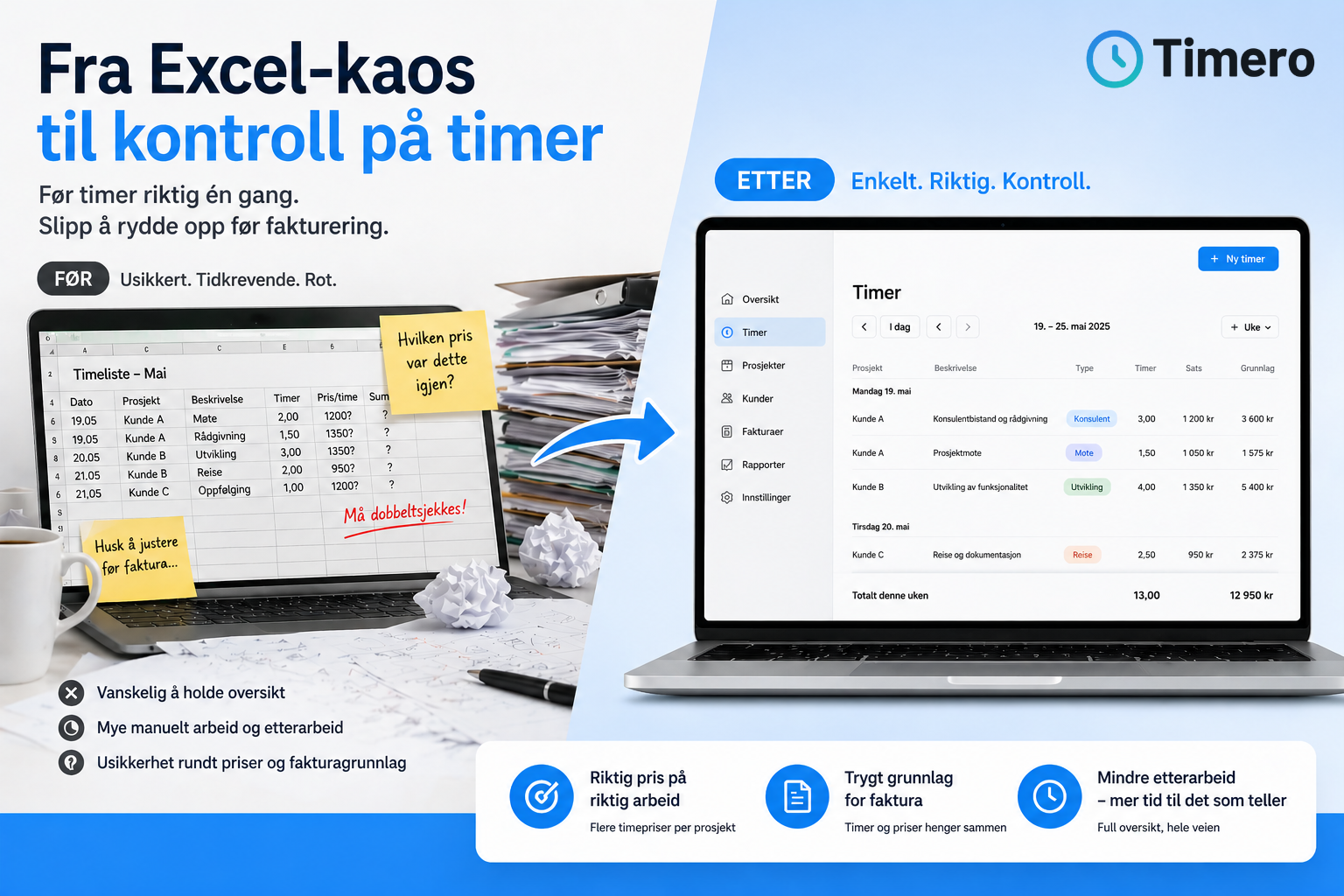
Excel and Google Sheets are free tools that many use for time tracking. You can download timesheet templates or create your own. The advantage is full control over the structure and no monthly cost. The downside is that you have to fill everything out manually, and you get no automation, synchronization between devices, or integration with invoicing.
If you work alone and have few hours to track, Excel can work well. But as the number of projects and clients grows, it becomes time-consuming to keep track. You have to calculate totals yourself, create invoicing bases, and keep track of which hours have been invoiced. This takes time you could spend on value-adding work. Many businesses start with Excel but switch to a dedicated system when they see how much time they save through automation.
Free Open Source Solutions
Open source time tracking systems are free to download and install on your own server. Examples include Kimai and Clockify. You pay nothing for the software, but you have to manage hosting, setup, maintenance, and security yourself. For small businesses without technical expertise, this quickly becomes more complicated than a paid cloud solution.
Open source is suitable for companies with their own IT resources that want full control over data and systems. For most small businesses, the costs of hosting and maintenance are higher than the price of a ready-made cloud solution. You also have to ensure that the system remains updated and secure.
What You Sacrifice with Free Time Tracking
Free solutions come with compromises. Excel requires manual work and provides no automation. Free versions of digital systems limit the number of projects, users, or advanced features. Open source requires technical expertise and self-management. Trial periods provide full access, but only for a limited time.
If you need a mobile app for time tracking, automatic synchronization between devices, integration with invoicing, or advanced reports, you usually need to upgrade to a paid plan. Many businesses discover shortly that the costs of free solutions – in terms of time spent on administration – exceed the price of a dedicated system.
When to Upgrade from Free to Paid
If you are logging hours to invoice clients, need project tracking, or have multiple employees, it quickly pays off to pay for a system that provides oversight and automation. A consultant billing 1500 kroner per hour quickly saves the costs of a time tracking system if it reduces administration time by one hour a month.
Timero's Starter plan costs 49 kroner per month excluding VAT and gives you up to ten projects and full time tracking without limitations. The Pro plan at 169 kroner per month includes unlimited projects, invoicing, project economics, and advanced reports. For small businesses that want to keep track of hours and invoicing bases, this is often a more cost-effective solution than spending time on manual Excel sheets or limited free versions.
Frequently Asked Questions
Are there really completely free time tracking systems?
Yes, several systems offer free versions with unlimited time tracking, but often with limitations on the number of projects, users, or features. Timero has a free plan with unlimited time tracking for one user and up to two projects. Excel and Google Sheets are also free alternatives but require manual work without automation.
What is the difference between free and paid time tracking plans?
Paid plans usually offer more projects, more users, advanced reports, invoicing, project economics, and integrations with other systems. Free versions cover basic time tracking but often lack features that make administration easier and faster. Trial periods provide temporary full access before you must choose a paid plan or downgrade to free.
Can I use free time tracking if I have employees?
Most free plans only support one user. If you have employees who need to log hours, you usually need to upgrade to a paid plan. Timero's Team plan costs 399 kroner per month and includes five users, with 49 kroner per month for each additional user.
Is Excel a good alternative to digital time tracking systems?
Excel works for simple needs and few hours, but lacks automation, synchronization between devices, and integration with invoicing. As the number of projects and clients grows, it becomes time-consuming to keep track manually. Many businesses save time by switching to a dedicated system that automates timesheets and invoicing bases.
How do I test if a time tracking system fits my business?
Many systems offer a 30-day free trial with full access to all features. You can sign up for free and test whether the system meets your needs for time tracking, project tracking, and invoicing before committing to a paid plan. Try first, pay later.
What does it cost to upgrade from free to paid time tracking?
Prices range from around 50 to several hundred kroner per user per month, depending on functionality. Timero's Starter plan costs 49 kroner per month excluding VAT for up to ten projects. The Pro plan at 169 kroner per month provides unlimited projects, invoicing, and advanced reports. For businesses that bill hours, the costs are quickly saved through reduced administration time.
Can I switch from free to paid without losing data?
Yes, most systems allow you to upgrade from a free to a paid plan without losing previously logged hours or projects. Timero automatically synchronizes data between plans, allowing you to upgrade when you need more features without starting over.