Article
What does a timesheet mean, and why do you need it?

Summary
- A timesheet is an overview of work hours spent per client, project, or task, forming the basis for invoicing and payroll.
A timesheet is a structured overview of hours spent on work, whether it concerns client projects, internal tasks, or paid hours. For consultants, craftsmen, and small businesses, the timesheet is the foundation for ensuring accurate invoicing, documenting work hours, and gaining control over project finances. Without a functioning timesheet, many businesses lose track of how much time is spent on various tasks, and hours disappear before they are billed. A proper time tracking solution allows for real-time hour logging, visibility into what is profitable, and prevents work from getting lost in administration.
What does a timesheet contain?
A timesheet documents work hours in a way that allows the data to be used for invoicing, payroll calculation, or project follow-up. Most timesheets contain information about the date, number of hours, client or project, type of work, and any description of what was done. For companies that sell hours to clients, the timesheet must also indicate which hours are billable and which are internal.
The quality of the timesheet determines whether you gain insight into actual time usage or just an approximate log. When the timesheet is digital and integrated with time tracking, you can see time usage per client in real-time, compare budget against actual time spent, and have a basis for better pricing and resource allocation decisions.
The difference between paper, spreadsheets, and digital solutions
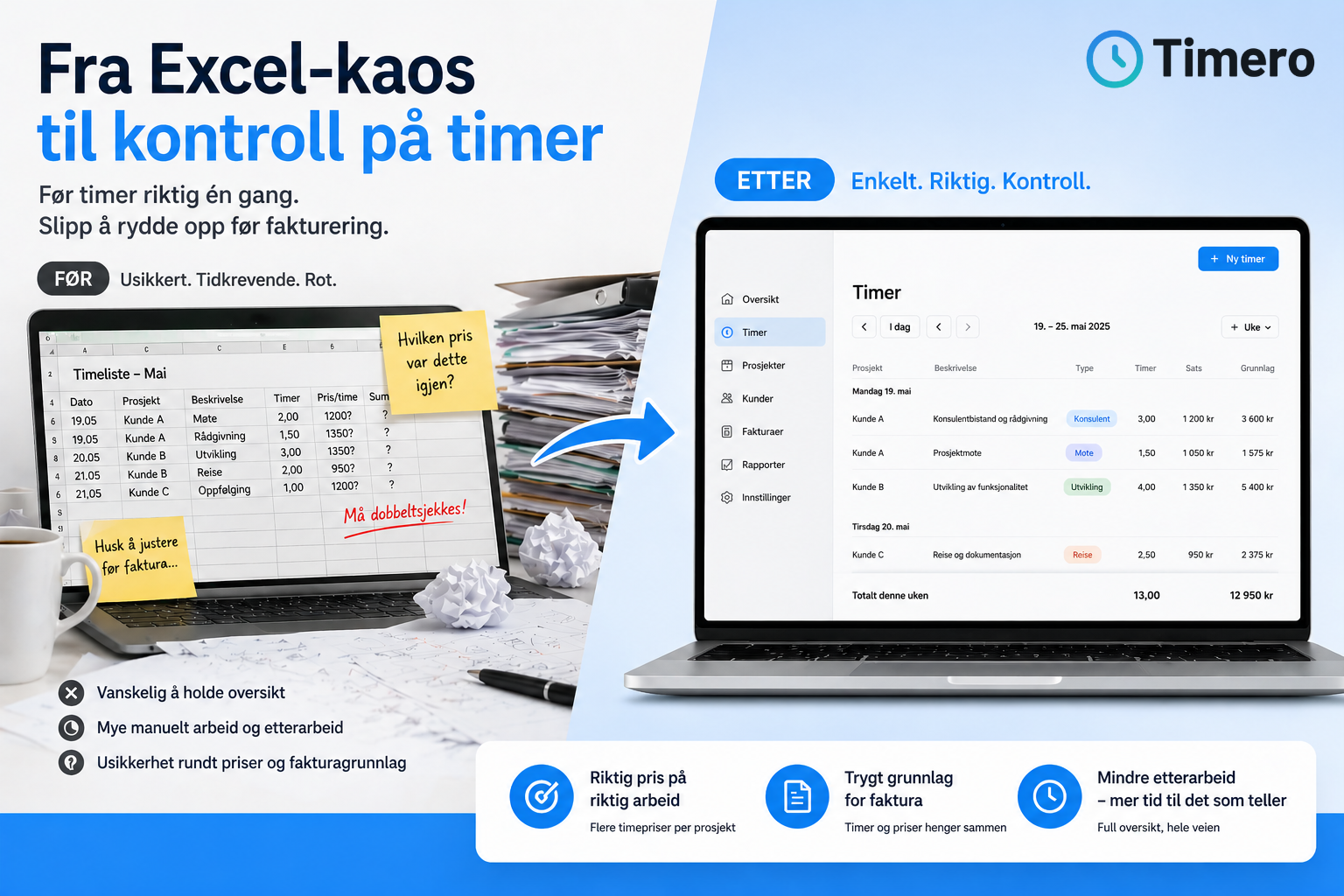
Many small businesses start with timesheets on paper or in Excel spreadsheets. It works at first, but often leads to problems as the business grows or as the number of clients and projects increases. Paper-based timesheets must be filled out manually, collected, and transferred to accounting systems or invoicing tools. Forgotten hours, errors in transfer, and lack of overview are common challenges.
A spreadsheet for timesheets provides better structure than paper but still requires manual updates and lacks integration with invoicing. When creating an invoicing basis, you must copy data between files, increasing the risk of errors. Digital time tracking solutions like Timero allow you to log hours throughout the workday, link them directly to clients and projects, and use the data further without double work.
Why is the timesheet important for invoicing?
A timesheet is the foundation for ensuring that all work is actually billed. When hours are logged continuously and linked to the right client and project, you avoid having to reconstruct the work afterward. For companies that sell hours, this means that the invoicing basis is ready when the project is completed or when it’s time to send the monthly invoice.
Without a functioning timesheet, you often have to base the invoice on estimates or memory, leading to forgotten hours or an invoice that is too low. Digital solutions for time tracking allow you to go directly from logged hours to a completed invoicing basis, ensuring that all billable hours are included.
What insights does a timesheet provide beyond invoicing?
A timesheet provides more than just a basis for invoices. It shows how work time is actually distributed among clients, projects, and tasks, and gives insight into what is profitable and what takes more time than planned. By looking at time usage per client, you can adjust hourly rates, resource usage, or priorities before projects become unprofitable.
For companies with employees, the timesheet also provides a basis for payroll and documentation of work hours. When hours are logged digitally, you automatically get payroll data without employees having to fill out separate forms. This saves time for both employees and administration and reduces the risk of errors.
Advantages of digital time tracking over paper and spreadsheets
- Less administration: Hours are logged once and used for both invoicing and payroll basis.
- Real-time overview: See time usage per client and project without waiting for month-end.
- Fewer forgotten hours: Logging from mobile during the workday reduces the risk of hours disappearing.
- Better basis for pricing: Actual time usage provides a better basis for assessing whether the hourly rate is correct.
- Easier reporting: Automatic reports for payroll basis, invoicing basis, and project finances.
How to choose the right solution for timesheets?
The need for a time solution depends on how the business operates and what kind of overview you need. Sole proprietorships and freelancers who sell hours to clients often need a solution that allows them to log hours quickly from their mobile and link them to the right client and project. For them, the most important thing is that the solution makes it easy to keep track and that the hours can be used directly as an invoicing basis.
Companies with employees need more. Here, the solution must handle multiple users, approval flows for hours, export to payroll, and the ability to follow up on who has logged what. A time tracking solution for employees should also provide managers with an overview of resource usage and project finances in real-time, allowing them to follow up along the way instead of discovering problems afterward.
Frequently Asked Questions
What is a timesheet?
A timesheet is an overview of work hours spent per client, project, or task. It is used to document work time, form the basis for invoicing and payroll, and provide insight into time usage and project finances. The timesheet can be paper-based, in a spreadsheet, or digital.
Why is digital time tracking better than Excel?
Digital time tracking allows you to log hours once and use the data for both invoicing and payroll basis without double work. You get a real-time overview of time usage per client and project, and you avoid manually transferring data between systems. This saves time and reduces the risk of forgotten or incorrectly logged hours.
Who needs a timesheet?
Anyone who sells hours to clients or has employees on hourly wages needs a timesheet. This includes consultants, craftsmen, IT companies, advertising agencies, and other service providers who bill based on work time. Companies with employees need timesheets to document work hours and form payroll basis.
How often should I update the timesheet?
Ideally, you should log hours continuously, either daily or immediately after the work is done. The longer you wait, the greater the risk of forgetting hours or logging them incorrectly. With a time tracking app, you can log hours throughout the workday from your mobile, ensuring they are always up to date.
What is the difference between a timesheet and an invoicing basis?
A timesheet documents work hours with details about date, hours, and task. The invoicing basis is a summary of billable hours per client or project, often with hourly rates and total amounts. When the timesheet is digital, you can go directly from logged hours to a completed invoicing basis without intermediate steps.
How do I get started with digital time tracking?
Start with a solution that is easy to use and does not require training. Register clients and projects, log hours during work from mobile or web, and use the data for invoicing. Timero allows you to get started the same day, without complicated setup. Request a demo or start for free to test the solution in practice.
Can I use Timero if I work alone?
Yes, Timero works just as well for sole proprietorships as it does for companies with employees. You get full oversight of hours, clients, and projects, and can go directly from time logging to invoicing basis without intermediate steps. The system scales with the business, allowing you to add employees and new features as needed.