Article
How to Register Hours in Norway and Gain Control Over Payroll and Invoicing

Summary
- Hours are usually registered digitally in time tracking systems that link work hours to clients, projects, and hourly rates to provide accurate invoicing and payroll.
In Norway, hours are registered in various ways depending on the industry, company size, and whether the work is billed to a client or used for payroll calculations. Many still use spreadsheets, paper timesheets, or manual reporting to managers or payroll systems. At the same time, more and more companies are transitioning to digital solutions that consolidate time tracking, projects, and invoicing in one system. The goal remains the same: to gain an overview of working hours, ensure correct payroll, and document billable hours.
Why Time Tracking is Required in Norway
The Working Environment Act mandates that companies keep track of actual working hours for employees. This is not just an administrative tool but a legal obligation that applies to both hourly and salaried employees. The Labour Inspection Authority can request documentation of working hours during inspections, and insufficient timesheets can lead to penalties and repercussions.
For companies that bill hours to clients, time tracking is the very foundation of income. Without a good overview of how many hours are spent on each project, it becomes difficult to manage profitability, adjust prices, or document work to clients. Many consultants, craftsmen, and smaller service providers find that hours are forgotten because they are not logged continuously, which can quickly add up to significant amounts over time.
Digital time tracking makes it easier to log hours where the work is done, link them to the correct client and project, and ensure that nothing gets lost in late entries or paper archives.
How to Register Hours Effectively
An effective workflow for time tracking starts with each employee or self-employed individual logging hours continuously, preferably on the same day the work is performed. This can be done manually by entering start time, end time, and description, or by using a stopwatch that automatically records time while working.
Hours are linked to clients and projects, and each hour is marked with information about what was done. This makes it easier to go back later, understand what took the most time, and document work to the client. Once the week's or month's hours are logged, they can be approved by a manager or project leader before being sent to payroll or used as a basis for invoicing.
For companies with employees in the field or at client sites, mobile time tracking is often the only practical solution. A time tracking app allows for logging hours directly from the worksite without having to wait until returning to the office.
What Should a Good Time Tracking System Be Able to Do?
- Log hours manually or with a stopwatch directly from mobile or web
- Link hours to clients, projects, and hourly rates in the same system
- Provide real-time overview of billable hours and hours allocated to internal administration
- Export data to payroll systems or accounting software without manual transfer
- Generate timesheets and invoicing basis based on logged hours
- Handle approval of hours from employees before they are sent to payroll or invoicing
- Show time usage per project, client, or employee for better resource management
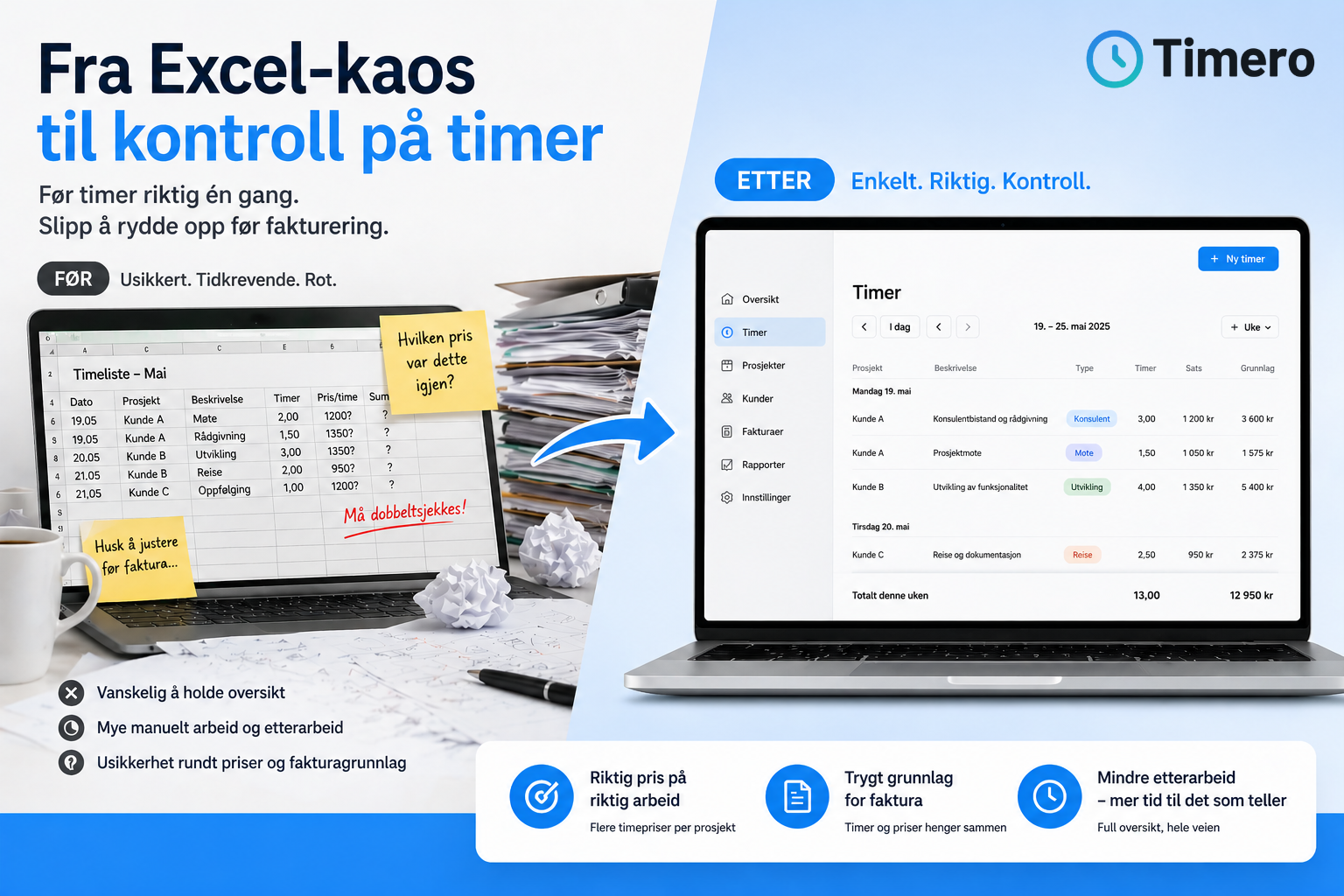
Many smaller businesses start with Excel or Google Sheets but quickly find this cumbersome as the number of employees, clients, or projects increases. When you have to collect timesheets from multiple sources, check that everything is correct, and manually transfer data to invoices or payroll systems, a lot of time is lost in administration.
By using a dedicated time tracking system, everything is consolidated in one place, eliminating double work between different tools.
Timero – Designed for Norwegian Small Businesses
Timero was created precisely because many small businesses, consultants, and craftsmen found that time tracking took too much time and required too many tools. The system makes it easy to log hours from mobile or web, link them to the correct client and project, and generate invoicing basis directly without having to manually transfer data.
Hours can be logged with a stopwatch or manually, and all logged hours automatically go into the system where they can be exported to payroll or used as a basis for invoicing. For companies with employees, Timero provides an overview of who is working on what, making it easier to monitor project finances and resource usage in real-time.
Prices start at 0 NOK per month for a free version with unlimited time tracking and up to 2 projects. The Starter package costs 49 NOK per month excluding VAT and includes up to 10 projects, while the Pro package at 169 NOK per month excluding VAT provides full access to invoicing basis, integrations, and team features.
You can try Timero for free with no commitment or credit card required, or request a demo to see how the system works in practice.
Frequently Asked Questions
Do all companies in Norway have to keep timesheets?
Yes, all employers are required to keep track of actual working hours according to the Working Environment Act. This applies to both companies with hourly and salaried employees. Timesheets must be available for inspection by the Labour Inspection Authority, and inadequate documentation can lead to penalties.
What is the difference between billable and non-billable hours?
Billable hours are work that can be charged to the client and form the basis for invoicing. Non-billable hours are used for internal administration, planning, meetings, or training that will not be billed further. Good time tracking distinguishes between these so that the company has an overview of both income-generating work and internal time usage.
Can I use Excel for time tracking?
Yes, many companies use Excel or Google Sheets to log hours. This works for simple needs but quickly becomes cumbersome when collecting data from multiple employees, linking hours to clients and projects, or transferring information to invoices and payroll. Digital time tracking systems consolidate everything in one place and significantly reduce administration.
How do I register hours if I work on-site with a client?
Mobile time tracking allows you to log hours directly from the worksite via an app on your phone or tablet. You can start a stopwatch when you begin working and stop it when you finish. The hours automatically sync to the system and can be linked to the correct client and project without having to remember everything for later.
How long must a company keep timesheets?
Timesheets are accounting documents and must be kept for at least five years according to the Accounting Act. This applies to both paper timesheets and digital records. In disputes over wages, working hours, or invoicing, timesheets can also serve as documentation for longer periods.
What does it cost to use a time tracking system?
Prices vary by provider and functionality. Some systems are free for single users, while others charge per user per month. Timero offers a free version for startups, and paid plans start at 49 NOK per month excluding VAT for the Starter package and 169 NOK per month excluding VAT for the Pro package with full functionality.
Can I export hours to my accounting system?
Most digital time tracking systems offer export to Excel, CSV, or direct integration with accounting software. This makes it easier to transfer data to invoices or payroll without manual copying. Timero supports exporting timesheets and invoicing basis, allowing you to use the data in your existing financial system.