Article
Invoicing Hours: How to Do It Right from Registration to Invoice

Summary
- Time invoicing starts with registering hours for the correct customer and project, distinguishing billable from internal hours, and then creating an invoice basis based on the agreed hourly rate.
Invoicing hours correctly is about more than just writing down how many hours have been spent. It involves having an overview of what is billable, what hourly rate applies, and how the work should be described on the invoice. For consultants, craftsmen, and small businesses that sell time instead of products, this is the foundation for revenue. When time tracking is inaccurate or done retrospectively, the risk increases that hours disappear or that the invoice is incorrect. Correctly invoicing hours starts with registering them correctly from day one.
Many businesses find that hours are not invoiced because they were never written down, or that the customer reacts to the invoice because descriptions are missing or the hourly rate does not match the agreement. This can be avoided by establishing a structure where hours are registered continuously, linked to the correct customer and project, and verified before the invoice is created. Read more about how to register hours correctly to gain better control over the invoice basis.
From Work Hours to Invoice Basis – How the Process Works
The first step in time invoicing is to register work hours as they occur. When hours are recorded retrospectively based on memory, the risk increases that work is forgotten or estimated incorrectly. By using a mobile device or web to log hours immediately after the work is done, you ensure that all billable time is documented.
Once the hours are registered, they must be linked to the correct customer and project. This allows you to see total hours spent per customer, compare with budget or agreement, and distinguish between billable and non-billable hours. Internal meetings, administration, and travel are often non-billable, while the actual work done for the customer is billable. A good workflow for time invoicing separates these categories early in the registration process.
The next step is to verify the hourly rate. Has the customer agreed on a fixed hourly rate, a variable price per task, or rates that change based on the number of hours? The price must match the agreement before the invoice is created. Many businesses find that invoices need to be corrected because the wrong hourly rate was used, or because it was not agreed upon in writing what should apply. This can be avoided by storing the hourly rate along with the customer or project in the system used for registration.
Next come the descriptions. The invoice line should show what the work entailed, so the customer understands what they are paying for. "Consulting work 8 hours" provides little information. "Development of a new feature in the customer portal, 8 hours" is more precise and provides a better basis for approval. Descriptions should be written while the work is ongoing, not when the invoice is to be sent. A time tracking system can help with entering descriptions directly during registration.
Common Challenges in Time Invoicing – And How to Avoid Them
One of the most common challenges is forgotten hours. When work occurs over several days or weeks, and hours are manually recorded afterward, parts of the work time often disappear. This is especially true for short tasks, phone calls, or minor adjustments that do not feel significant enough to write down immediately. Over time, this results in lost revenue.
Missing descriptions are another challenge. When the invoice is sent without the customer understanding what the work entailed, it can lead to questions, delays in payment, or disputes over what was agreed. Descriptions should be specific enough for the customer to recognize the work, but not so detailed that they take longer to write than the actual job.
Incorrect hourly rates often occur when the business has different rates for different types of work, or when the price changes during the project without the system being updated. This can be avoided by storing the hourly rate at the customer or project level, so that it is automatically retrieved when the invoice is created.
Hours that are not invoiced may be the biggest challenge. This happens when work is performed but never registered, or when hours are registered as internal even though they should be billable. A good practice is to review the timesheet weekly or before each invoice is sent, and check that all billable hours are actually marked as such.
How Timesheets and Reports Make Invoicing Easier
A timesheet shows all registered hours within a given period, grouped by customer, project, or employee. This provides an overview of what can be invoiced, what is internal work, and how much time has actually been spent. The timesheet serves as a checkpoint before the invoice is created. You can see if the number of hours matches what was planned, if the descriptions are good enough, and if the hourly rate is correct.
Reports provide insights beyond individual invoices. When you can see total hours spent per customer over several months, it becomes easier to assess profitability, adjust prices, or prioritize customers that provide the most value. Reports also show if certain projects are taking more time than budgeted, allowing you to take action along the way instead of discovering it afterward.
A system that consolidates time tracking and invoicing in one place reduces the need for manual data transfer. The hours that have been registered can be directly pulled into the invoice basis without having to copy from spreadsheets or manually sum them. This saves time and reduces the risk of errors. Read more about timesheets as a tool for better oversight.
What to Look for in a Time Tracking and Invoicing System?
A good system for invoicing hours should make it easy to register hours for the correct customer and project, distinguish billable from non-billable hours, and create an invoice basis based on registered work. The system should support mobile registration, so employees can log hours where the work occurs, and it should provide real-time oversight of what has been registered.
Furthermore, the system should be able to store hourly rates per customer or project, so that the correct price is automatically retrieved when the invoice is created. It should also be possible to enter descriptions directly during registration, and to edit hours if something was registered incorrectly. Reports and timesheets should be available without needing to export to Excel or create manual compilations.
For businesses that do not need a full accounting system but want better control over hours and invoice basis, a dedicated time tracking system may be the right choice. Timero consolidates time registration, projects, and invoice basis in one place, without unnecessary complexity. The system provides an overview of registered hours per customer, allows you to create timesheets and invoices directly, and works on both mobile and web.
Checklist for Correctly Invoicing Hours
- Register hours continuously, not retrospectively
- Link each hour to the correct customer and project
- Distinguish between billable and non-billable hours
- Verify that the hourly rate matches the agreement
- Enter descriptions that explain what the work entailed
- Review the timesheet before sending the invoice
- Send invoices regularly – weekly, bi-weekly, or monthly
- Save invoiced hours so they are not billed twice
- Use reports to track profitability per customer
- Choose a system that consolidates registration and invoicing in one place
Frequently Asked Questions
How do I invoice hours to a customer?
Start by registering work hours continuously for the correct customer and project. Distinguish between billable and internal hours. Verify that the hourly rate matches the agreement, and enter descriptions of the work. Then create the invoice basis based on registered hours, either by exporting the timesheet or by creating the invoice directly in the system. Send the invoice according to the agreed frequency.
How do I avoid forgetting billable hours?
Register hours as they occur, not retrospectively. Use mobile or web to log work hours immediately after the work is done. Mark each hour as billable or internal right at registration. Review the timesheet weekly to ensure that all billable work is included. A digital time tracking system reduces the risk of hours disappearing.
What should be included on a time invoice?
The invoice should include the date of the work, a description of what was done, the number of hours, the hourly rate, and the total amount. If the work is divided over several days or tasks, each line should show the date and description separately. Also include any expenses or additions that were agreed upon. The description should be specific enough for the customer to understand what they are paying for.
How often should I invoice hours?
This depends on the length of the project and the agreement with the customer. Common models are monthly invoicing for ongoing assignments, bi-weekly for high-activity projects, weekly for short assignments, or at milestones for phase-divided projects. Choose a frequency that provides good cash flow without becoming administratively burdensome. Read more about how to invoice hours to customers.
Can I use Excel to invoice hours?
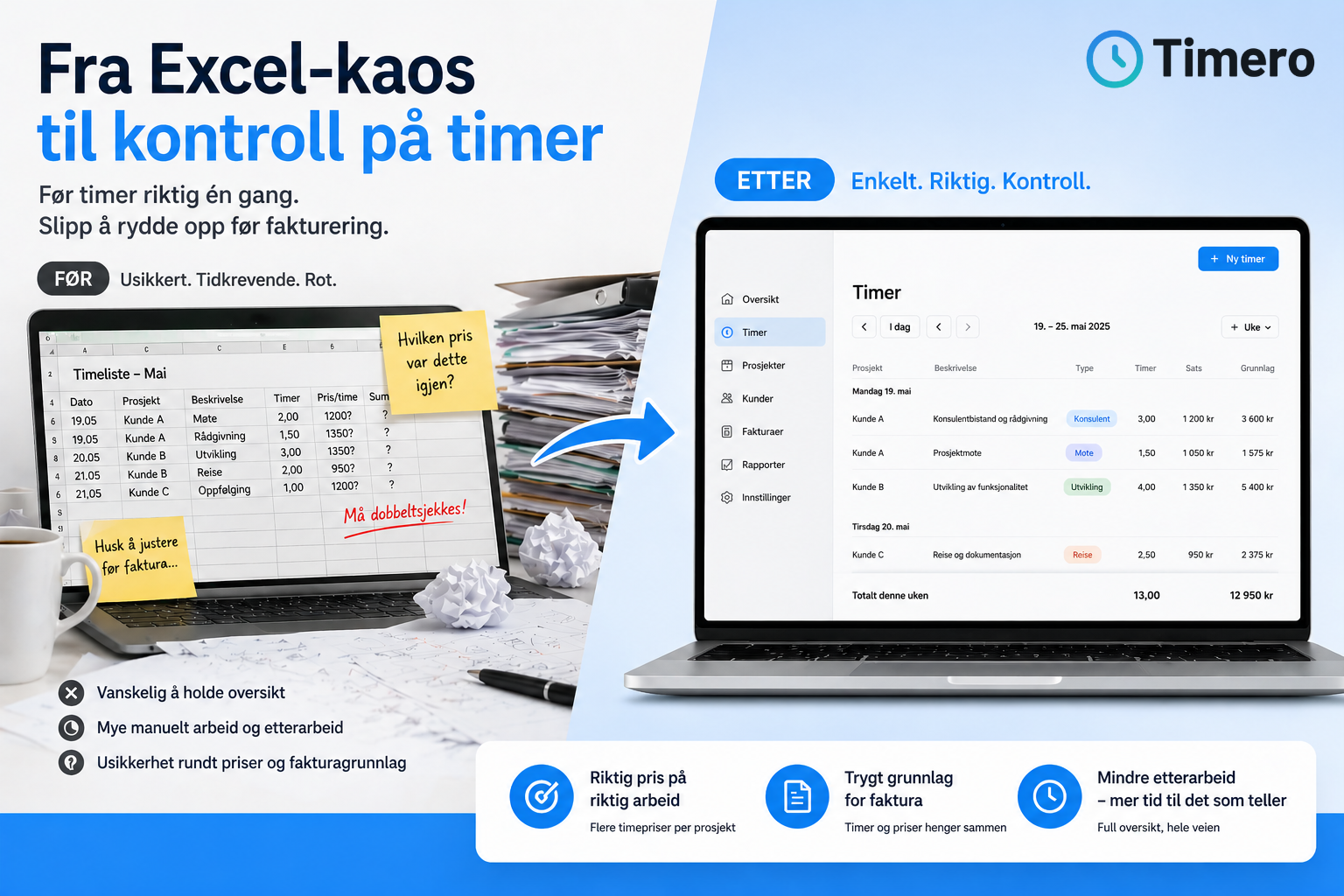
Yes, but it increases the risk of errors and requires manual work. You have to sum hours yourself, verify that the hourly rate is correct, and copy data over to the invoice template. By using digital systems, hours are automatically pulled into the invoice basis, and you avoid duplication of work. See more about how to go from Excel chaos to better control.
What is the difference between billable and non-billable hours?
Billable hours are work hours that should be invoiced to the customer, such as consulting work, installation, or development. Non-billable hours are internal work such as administration, meetings, travel, or training. The distinction is made at registration, so that only billable hours are included in the invoice basis. Correct labeling ensures that the customer only pays for work that has been performed for them.
How do I handle different hourly rates for the same customer?
Store the hourly rate per project or task instead of just per customer. If the customer has different rates for different types of work, each task must be linked to the correct hourly rate at registration. A time tracking system with project support makes it easier to manage this without manual checks each time.