Article
Time Tracking App: How to Choose the Right Solution

Short Version
- A time tracking app makes it easier to register work hours from mobile or PC, link them to clients and projects, and use the data for invoicing without duplicate work.
A time tracking app is a digital tool that allows you to register work hours from your mobile or browser, link them to clients and projects, and use the data for invoicing and reporting. For small businesses, consultants, and tradespeople, a good time tracking app can save time, reduce administration, and ensure that all hours are actually billed. The difference between a simple app for noting hours and a full-fledged time tracking solution lies in how the hours are linked to project overviews, invoicing, and profitability management. In this article, we will go through what to look for when choosing a time tracking app, which features actually provide value, and how different types of businesses can use them in practice.
What Does a Time Tracking App Do, and How Is It Different from a Spreadsheet?
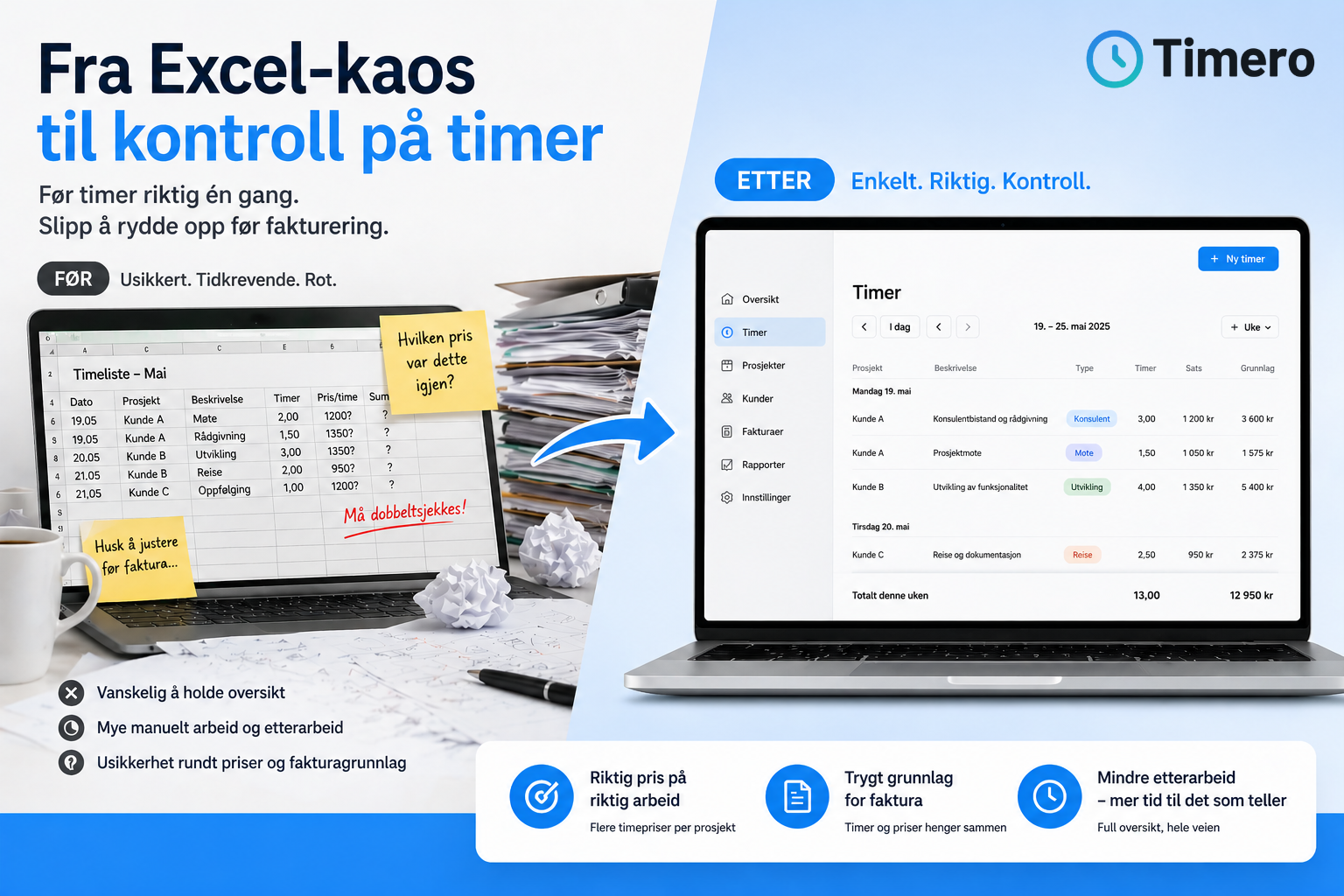
A time tracking app registers work hours digitally, either through a start/stop function or manual logging. It can be used on mobile, tablet, or PC, and the data is automatically synchronized so you have the same overview regardless of where you register the time. The difference between an app and a spreadsheet lies in the flow. With spreadsheets, you have to remember to log hours manually, copy data between files, and often enter the same information multiple times when creating invoices or reports.
A time tracking app allows you to register hours throughout the workday and link them directly to clients, projects, and tasks. When administration later needs to create an invoice, the hours are already registered with the correct information. This reduces the risk of forgetting hours and makes it easier to keep track of what has been billed and what has not.
Who Really Needs a Time Tracking App?
The need for a time tracking app depends on how the business operates and what kind of overview you need. Sole proprietorships and freelancers who sell hours to clients often need a solution that allows them to quickly register hours from their mobile and link them to the right client and project. For them, the most important thing is that the app makes it easy to keep track and that the hours can be used directly as invoicing data.
Companies with employees need more. Here, the app must handle multiple users simultaneously, provide an overview per employee and project, and often export data to payroll or accounting systems. An approval workflow may be necessary if managers need to review hours before they are approved, and reports per client provide a basis for monitoring project finances along the way.
Tradespeople and consultants who work on-site with clients often benefit from mobile registration. They can start the timer when they arrive at a job, log breaks along the way, and stop when the job is finished. This provides more accurate time tracking than filling out timesheets afterward based on memory.
Key Features to Look for in a Time Tracking App
When choosing a time tracking app, you should look for features that actually solve problems you have today. Here are the most important:
- Easy registration from mobile and PC: You should be able to start and stop timers or log time manually without unnecessary clicks.
- Client and project linking: Hours must be linked to the correct client and project immediately so that they end up in the right place in the invoice data.
- Pause function: If you take breaks during the workday, the app should accurately calculate billable time.
- Description of work performed: The ability to note what was done makes it easier to document the work when the invoice is to be sent.
- Distinction between billable and non-billable hours: Internal administration should not be billed to the client, so the app must clearly distinguish between different types of work.
- Reports and timesheets: Overview per employee, client, and project provides a basis for follow-up and decisions along the way.
- Integration with accounting systems: If hours automatically end up in your invoicing tool, you avoid double entry and reduce the risk of errors.
Timero combines all these features on one platform. You can register hours from mobile or web, link them to clients and projects, log breaks, generate timesheets, and monitor project finances in real-time without switching between multiple tools.
Advantages and Limitations of Digital Time Tracking Apps
The biggest advantage of a digital time tracking app is that it reduces manual work. Hours are registered in real-time, and the same data is used for reporting, invoicing, and follow-up. This provides better oversight and fewer errors than paper or spreadsheets. Mobile time tracking makes it easier to log hours when you are actually working, not afterward when details are forgotten.
The downside may be that the app requires internet access to synchronize data, that the setup takes some time initially, and that you have to learn a new tool. Some apps are more complex than necessary for small businesses, while others lack features needed as the business grows. Therefore, it is important to choose a solution that fits how you actually work, not what you think you might need in three years.
How Different Businesses Use Time Tracking Apps in Practice
Consultants who work with multiple clients simultaneously often use the time tracking app to log hours throughout the workday. They start the timer when they begin a task, note what they are doing, and link the time to the correct client and project. When the week or month is over, they retrieve a timesheet that shows all billable time distributed per client. This is used directly as invoicing data.
Tradespeople working on-site with clients register hours from their mobile. They can link the time to the correct client address, add material costs along the way, and send a time report to the office when the job is finished. This provides better control over what needs to be billed and reduces the risk of forgetting hours or materials.
Small businesses with hourly wage employees use the app to keep track of work hours per employee. The manager can see who has logged hours, approve them before they are used for payroll, and generate reports showing the total number of hours per week or month. This simplifies payroll processing and provides a better basis for monitoring labor costs along the way.
Frequently Asked Questions
What is the difference between a time tracking app and a time registration system?
A time tracking app focuses on registering and organizing work hours, while a time registration system often includes broader features such as project management, invoicing, approval workflows, and integration with payroll. For small businesses, the difference may be minimal – the most important thing is that the solution meets the need for time tracking and invoicing.
Can I use a time tracking app if I work alone?
Yes, many time tracking apps are well-suited for sole proprietorships and freelancers. You don't need features for team management, but simple registration, client and project linking, and the ability to generate invoicing data. The most important thing is that the app makes it easy to log hours along the way and that you avoid duplicate work.
How do I know if a time tracking app integrates with my accounting system?
Check if the app has integration with common Norwegian accounting systems like Fiken, Tripletex, or PowerOffice. Many apps have API access that allows for automatic data transfer. If you are unsure, contact the provider before choosing a solution.
Is it expensive to use a time tracking app?
Prices range from free for individual users to a few hundred kroner per month for companies with multiple employees. The most important thing is not what the app costs, but how much time you save and how much better oversight you gain. An app that saves you one hour of administration per week can be worth far more than the monthly price.
What happens if I forget to log hours along the way?
Most time tracking apps allow you to log hours manually afterward. You can enter the date, time, client, and project even if you didn't start the timer when the work was done. The most important thing is that you have an overview of what was done so that the hours can be documented correctly when the invoice is to be sent.
Can employees log hours from their own phones?
Yes, most modern time tracking apps have mobile apps for iOS and Android. Employees log in with their own accounts, register hours throughout the workday, and the data is automatically synchronized to the company's project overview. The manager can monitor in real-time and approve hours before they are used for payroll or invoicing.
How do I choose the right time tracking app for my business?
Start by mapping out what you actually need. Do you just want to log your own hours, or do you need an overview of multiple employees? Will the hours be used for invoicing, payroll, or both? Do you need integration with an accounting system? Feel free to test several solutions for free before making a choice – what works simply in everyday life is better than the one with the most features.